To cancel import scanning when Picasa start, follow the instruction below:-
Start your Picasa
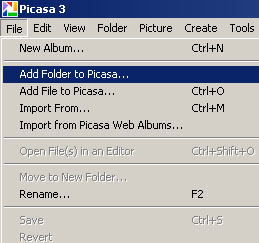
Go to File -> Add Folder to Picasa
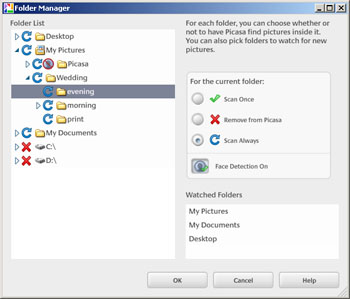
Folder manager will pop up and now you can select which folder to perform the scanning whenever picasa start.
To cancel scan for a folder, just Highlight the folder name and click “Remove from Picasa” and u’ll see the folder will be mark by a red cross. and this folder will not be scan by picasa from now on.


No comments:
Post a Comment